




DJI
DJI AP100 Parachute
In Stock - Ready to Ship
The AP100 lets the Matrice 400 meet EASA C5/C6 and CAA UK5/UK6 operational safety requirements, which opens up compliant flights over populated areas (STS-01) and BVLOS operations (STS-02). It runs on independent power with full-link redundancy and supports both manual and automatic deployment. Response time is under 600 ms, and stabilized descent speed stays below 5 m/s.


Key Specs
- Automatic deployment response: ≤600 ms
- Stabilized descent speed: ≤5 m/s
- Minimum deployment altitude: ≥30 m
- Independent backup power: up to 1 hour
- Post-deployment alarms/strobe: approx. 1 hour
- System weight: approx. 935 g
- Max takeoff weight preserved: 15.8 kg
- Flight time impact: approx. 6 minutes
- Weather protection: IP55
- Operating range: −20°C to 50°C (−4°F to 122°F)
Compliance
Paired with the AP100, the Matrice 400 meets EASA's C5/C6 and the UK CAA's UK5/UK6 operational safety requirements, supporting Standard Scenario compliance for both urban VLOS flight (STS-01) and BVLOS operations (STS-02).
Continuous Self-Monitoring
From power-on through the entire flight, the parachute watches its own gas generator and communication links. Any anomaly triggers a real-time alert through the Health Management System in DJI Pilot 2. An independent flight controller and IMU sensors let the parachute cross-validate data with the drone continuously, which cuts the risk of accidental deployment.
Independent Power
Built-in dual capacitors supply up to an hour of backup power, keeping attitude monitoring and automatic deployment active without depending on the aircraft's main battery or an E-Port connection.

Instant Motor Cut-Off
On trigger, an independent Flight Termination System cuts motor power within 600 ms, stopping the rotors before the parachute ejects, so the lines cannot tangle with the propellers.
Audio and Visual Alarms
After deployment, the system sounds alarms and flashes high-intensity lights for about an hour, clearing the area on the ground and helping operators locate and recover the aircraft.
Deployment Methods
- Automatic, on detected attitude or speed anomalies.
- Automatic, on a Geocaging boundary breach set in DJI Pilot 2 (EU, UK, and other supported regions).
- Manual, via the on-screen slider in DJI Pilot 2.
- Remote, via DJI FlightHub 2's Flight Termination System page, using the aircraft serial number and a verification code (requires a DJI Cellular Dongle 2 and 4G connection; EU, UK, and other supported regions).

Lightweight, Fits the Case
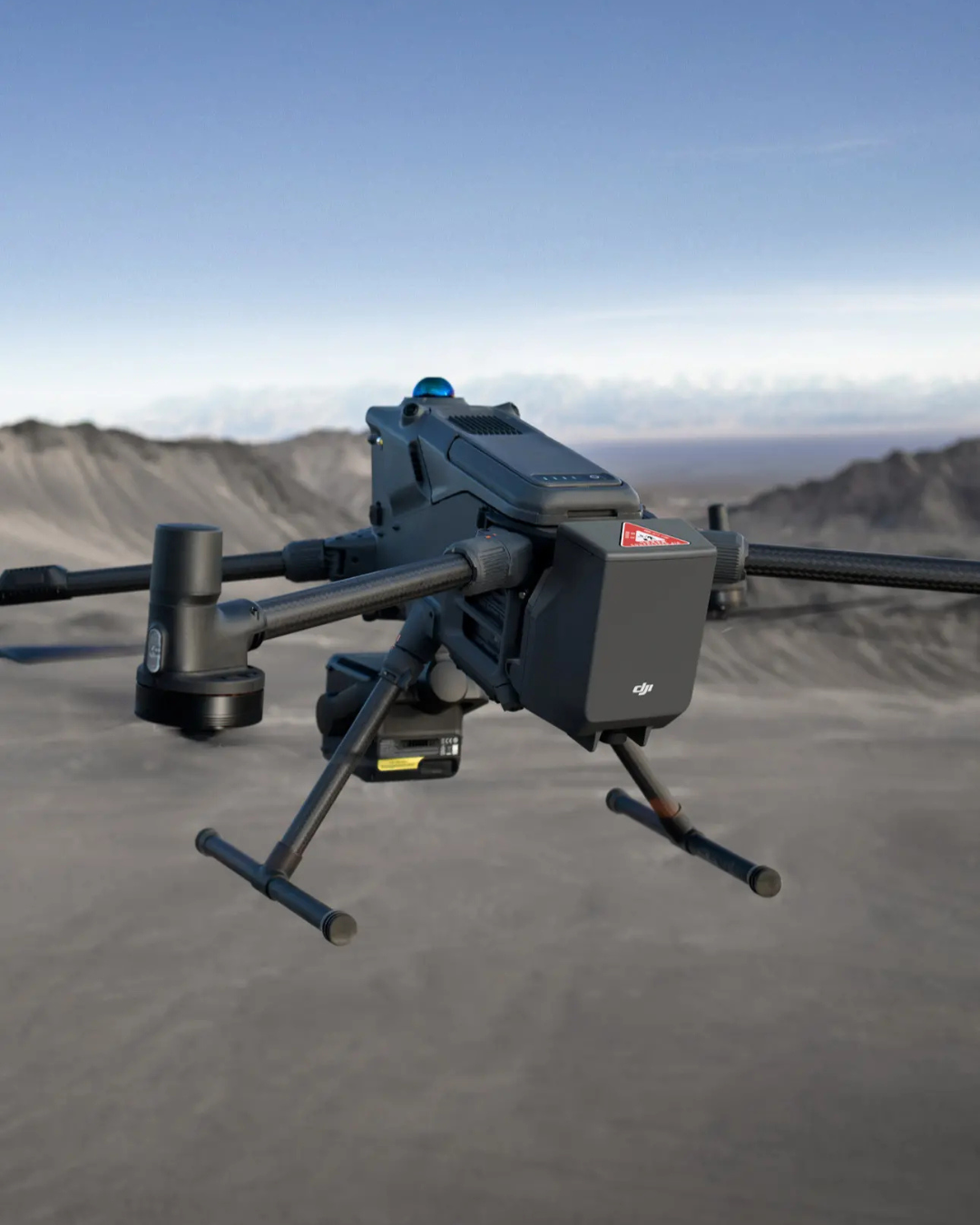
Lightweight design: at approximately 935 g, the system preserves the M400's 15.8 kg maximum takeoff weight, with roughly a 6-minute impact on flight time.
Easy storage: the rear-mounted design avoids interference with battery swaps or payloads. The Matrice 400 fits directly into its carrying case with the parachute attached, saving setup time in the field.
Built for Harsh Environments
Sharing the M400's IP55 rating, the system holds up in heavy dust or rain, and performs consistently across −20°C to 50°C (−4°F to 122°F).
One Trade-Off to Plan For
Fitting the AP100 automatically disables the M400's downward and backward mmWave radars, reducing obstacle sensing in those directions. It is a deliberate design decision, but one worth building into your operational planning.
Single-Use Safety Device
Like all parachute recovery systems, the AP100 is single-use — once deployed, it needs replacing before the next flight. DJI recommends retiring and replacing a unit three years after activation regardless of self-check results.
Use Cases
- Urban patrol (M400 + AP100 + H30T + Spotlight + Speaker): broadcast traffic guidance or event safety notices, with fewer safety-driven mission limits in dense urban areas.
- Facade cleaning (M400 + AP100 + cleaning equipment): fly close to glass curtain walls with a safety chain that reduces risk to buildings and the ground — often a condition for the work permit itself.
- Delivery (M400 + AP100 + delivery box): lab-to-hospital transport, remote and island delivery, and time-critical parcels, backed by a fail-safe for urban airspace operations.
• Please read the following shipping instructions carefully. Product that arrives damaged in shipment, without an RMA number or without appropriate warranty information, will be, returned to the sender non-repaired. Products, damaged through neglect due to improper packaging or in shipment, will have the warranty voided and will be processed and returned to you non-repaired. Note: An example of improper packaging would be sending a product back in an envelope.
• Only products and quantities authorized through the Return Material Authorization process will be accepted. If your RMA packing list is in error, ie. Wrong product description, wrong model number, wrong capacity please contact DronePoint Customer Support prior to shipment.
• All products require stable and sufficient packing material, needed to protect the product from ESD (Electro Static Discharge) influences and possible damage during transport. Required Packaging Steps:
A. Place item in ESD (Electro Static Discharge) Bag (For electronics only.)
B. Wrap with 2 inches of bubble wrap or non-movable foam cushioning
C. Place in sturdy cardboard box. Do not use chipboard, as it is not strong enough to withstand the rigors of transit. Please make sure the corrugated carton is free from defects and is structurally sound. Note: Returning an item in an envelope, will void the warranty.
D. Please write the Return Material Authorization number on outside packaging, on three sides in bold print.
E. When shipping multiple items, each item must be, packed as above, items must not directly touch each other and cannot move inside the packaging. All products must be, packed in individual anti-static bags and in a sturdy cardboard box. Please utilize original packaging when available. DO NOT USE peanuts or packing material that can shift or settle during transit. Warning: Returning an item in an envelope, will void the warranty.
• Send your product to the address located on our Page. Retain a record of your RMA number and all tracking/shipping numbers for your records. This will allow DronePoint to better serve you with possible inquiries.
• Your Return Material Authorization number must be visible on 3 sides of the box. Any package sent in without an RMA number will be returned to you non-repaired.
• Use a traceable carrier. Use a traceable carrier for transport or a signed for service (i.e., Airborne, Fed Ex, UPS, XpressPost, etc.) with the post office (Canadian customers only) as they provide you with a tracking number and proof of delivery. The cost of sending an item to our service center for warranty service, is paid by the customer. DronePoint pays for the return shipment. If upon arrival your products are out of warranty the shipment will be returned to you at YOUR COST.

Subscribe to our newsletter
Promotions, new products and sales. Directly to your inbox.