




DronePoint Canada
DJI LiDAR Range Finder (RS) to DJI Transmission Cable Hub
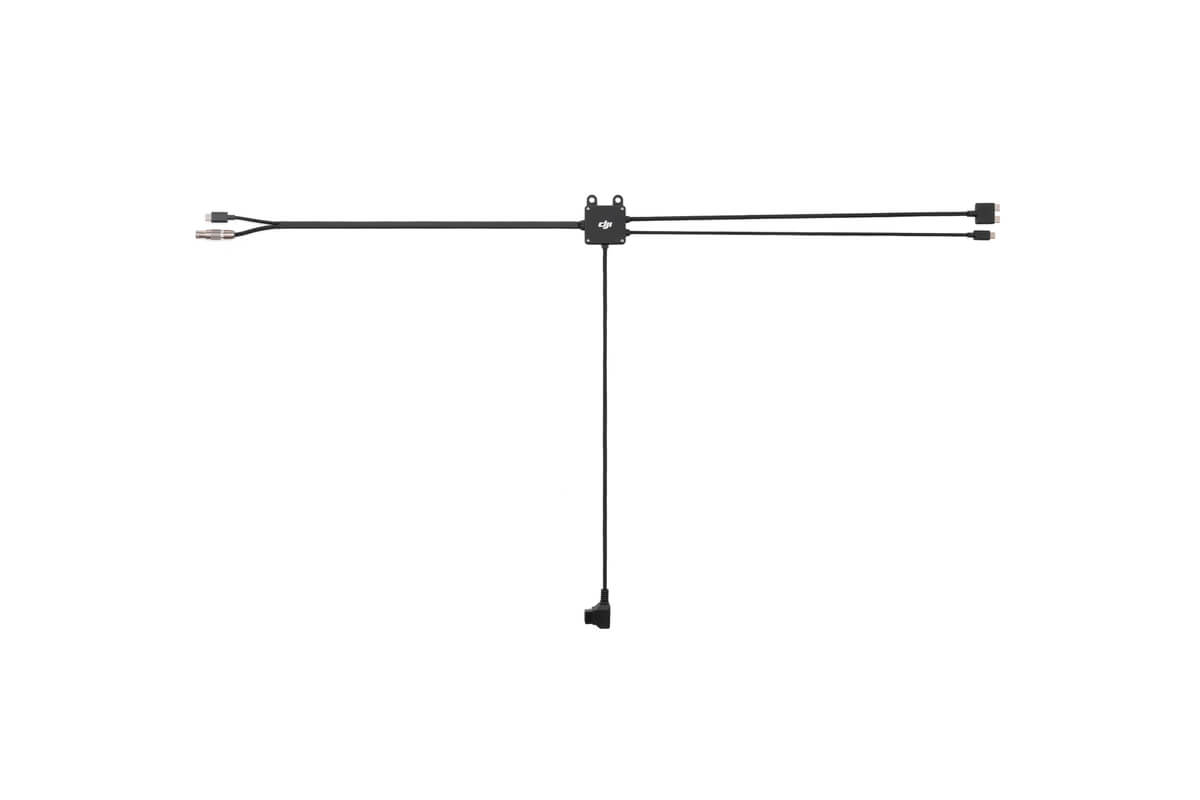
The DJI LiDAR Range Finder (RS) to DJI Transmission Cable Hub incorporates four cables that respectively connect to the DJI LiDAR Range Finder (RS), DJI Video Transmitter, DJI RS Focus Motor (2022), and a power supply.
By connecting the DJI LiDAR Range Finder (RS) with the DJI Video Transmitter and other accessories, you can get a complete focusing and monitoring system for any combination of camera and manual lens, and achieve lens calibration and autofocus with a manual lens.
By connecting the USB-C Communication Port of the cable hub with DJI RS 3 Pro/DJI RS 4 Pro via the DJI RS Multi-Camera Control Cable (USB-C), you can build inter-connection among DJI RS 3 Pro/DJI RS 4 Pro, DJI Transmission, and the LiDAR Range Finder (RS) for stabilization, remote monitoring and control, and autofocus.
Please use 12-17 V external power for power supply.
DJI LiDAR Range Finder (RS) to DJI Transmission Cable Hub × 1
Screw 1/4-20 × 2
M4 Screw (10 mm) × 2
Cable and Port Type:
Dual USB-C LiDAR Connection Cable (40 cm)
USB-C Focus Motor Connection Cable (40 cm)
P-Tap Power Cable (40 cm)
DC-OUT and USB-C Splitter Cable (40 cm)
USB-C Communication Port
Operating Voltage:
12 to 17 V
DJI RS 4 Pro
DJI RS 3 Pro
DJI Transmission
• Please read the following shipping instructions carefully. Product that arrives damaged in shipment, without an RMA number or without appropriate warranty information, will be, returned to the sender non-repaired. Products, damaged through neglect due to improper packaging or in shipment, will have the warranty voided and will be processed and returned to you non-repaired. Note: An example of improper packaging would be sending a product back in an envelope.
• Only products and quantities authorized through the Return Material Authorization process will be accepted. If your RMA packing list is in error, ie. Wrong product description, wrong model number, wrong capacity please contact DronePoint Customer Support prior to shipment.
• All products require stable and sufficient packing material, needed to protect the product from ESD (Electro Static Discharge) influences and possible damage during transport. Required Packaging Steps:
A. Place item in ESD (Electro Static Discharge) Bag (For electronics only.)
B. Wrap with 2 inches of bubble wrap or non-movable foam cushioning
C. Place in sturdy cardboard box. Do not use chipboard, as it is not strong enough to withstand the rigors of transit. Please make sure the corrugated carton is free from defects and is structurally sound. Note: Returning an item in an envelope, will void the warranty.
D. Please write the Return Material Authorization number on outside packaging, on three sides in bold print.
E. When shipping multiple items, each item must be, packed as above, items must not directly touch each other and cannot move inside the packaging. All products must be, packed in individual anti-static bags and in a sturdy cardboard box. Please utilize original packaging when available. DO NOT USE peanuts or packing material that can shift or settle during transit. Warning: Returning an item in an envelope, will void the warranty.
• Send your product to the address located on our Page. Retain a record of your RMA number and all tracking/shipping numbers for your records. This will allow DronePoint to better serve you with possible inquiries.
• Your Return Material Authorization number must be visible on 3 sides of the box. Any package sent in without an RMA number will be returned to you non-repaired.
• Use a traceable carrier. Use a traceable carrier for transport or a signed for service (i.e., Airborne, Fed Ex, UPS, XpressPost, etc.) with the post office (Canadian customers only) as they provide you with a tracking number and proof of delivery. The cost of sending an item to our service center for warranty service, is paid by the customer. DronePoint pays for the return shipment. If upon arrival your products are out of warranty the shipment will be returned to you at YOUR COST.

Subscribe to our newsletter
Promotions, new products and sales. Directly to your inbox.