



DronePoint Canada
Obstacle Sensing Module for Matrice 4 Series - Oversea
Take a Closer Look
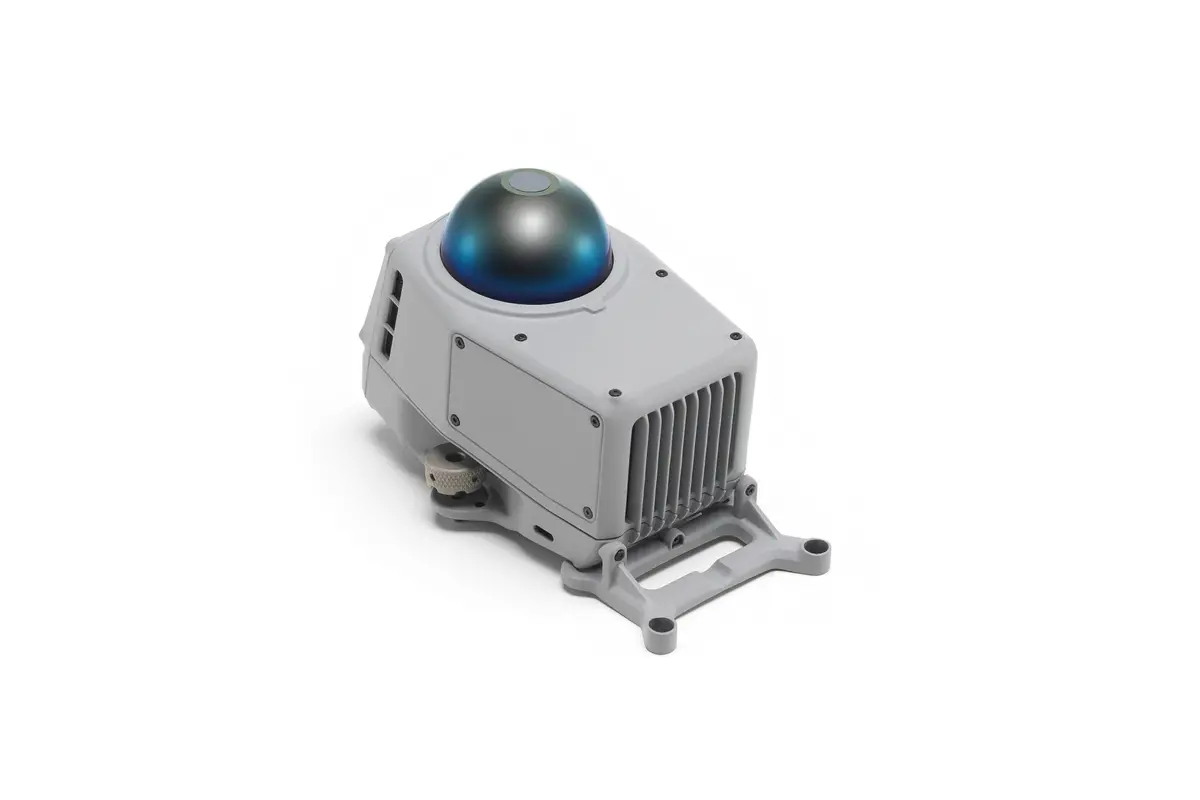
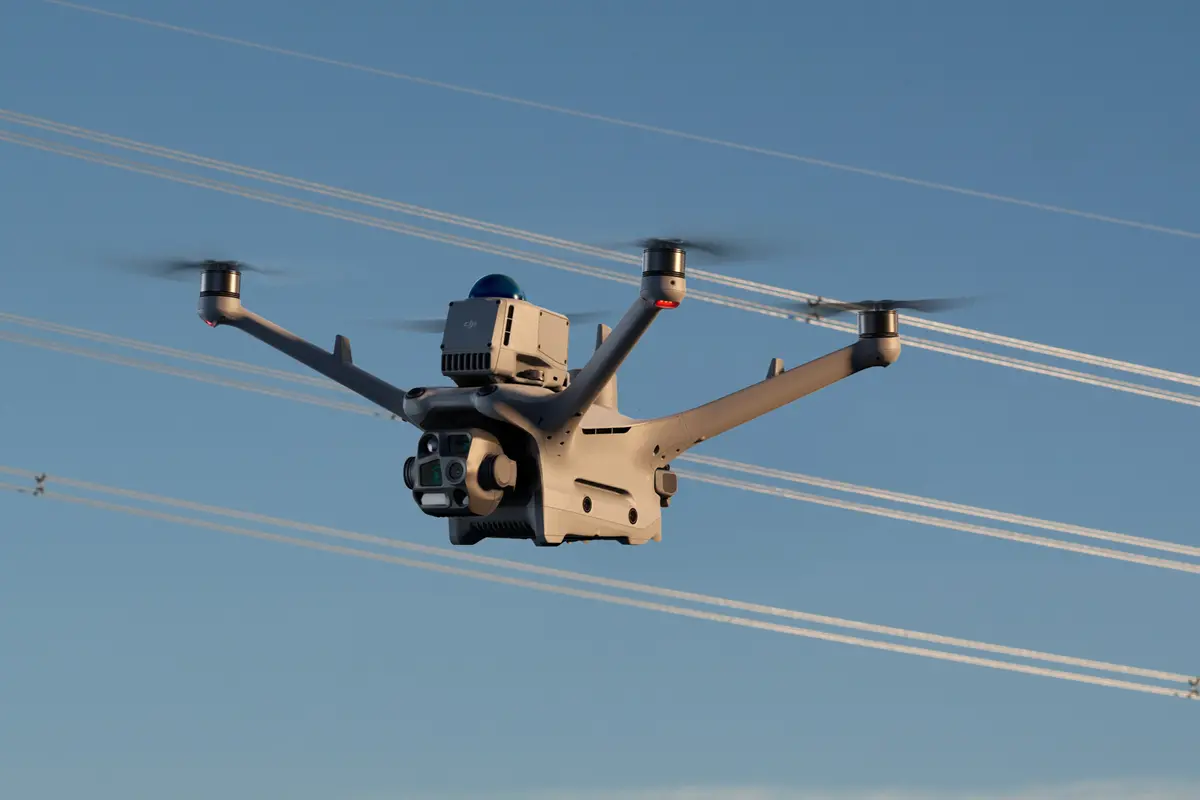
OverviewThe Obstacle Sensing Module combines rotating LiDAR and millimeter-wave radar technologies for enhanced positioning in low-light conditions. Operational safety is ensured in varying environments of power grid lines distribution network and the intricate layouts of substations.
1. Ensure the aircraft is powered off before installation or removal.
2. When installing, be sure to tighten the rear screws and use the hex screwdriver included in the package to lock the hand-tightened screws to ensure secure installation.
3. After installation, update all devices to the latest firmware and activate them according to the app prompts.
4. Before flying, check that the Obstacle Sensing Module is operating normally. It is recommended to fly in environments with good GNSS signals and favorable weather conditions. The performance of the Obstacle Sensing Module may be limited in the following scenarios, so please pay attention to flight safety:
1) The aircraft cannot actively avoid fast-moving objects (such as operating wind turbines, moving tower cranes, birds in flight, etc.);
2) The obstacle avoidance and bypassing capabilities may vary due to environmental factors (clouds, fog, rain, snow, dust), and the material, position, and shape of the target object;
3) The obstacle is located within the blind spot of the Obstacle Sensing Module. For detailed information on the range of the blind spot, refer to the User Manual of the Obstacle Sensing Module;
4) When there are small branches or wires with a diameter less than 12 mm located around the flight path, or when the drone is flying vertically nearby slanting wires;
5) Due to national policy restrictions, radar cannot be activated or can only operate with limited functions in certain countries and regions.
5. The Obstacle Sensing Module contains precision components; external impacts or drops may cause damage or reduce accuracy. Please handle with care to avoid dropping.
6. When not using the Obstacle Sensing Module, please install the protective cover to prevent surface wear.
Obstacle Sensing Module × 1
H2.5 Hex Key × 1
H1.5 Hex Key × 1
Adapter Bracket (Matrice 4 series) × 1
Reflective Stickers (for DJI Dock) × 12
Product Model: LR-01
Weight: 235 g
Dimensions: 103.3×64×85.8 mm (L×W×H)
Operating Temperature:-20° to 50° C (-4° to 122° F)
Sensing System: Combination of rotating LiDAR and five-direction millimeter-wave radar
Ingress Protection Rating: IP55 (with Matrice 4D Series)
DJI Matrice 4D Series
DJI Matrice 4 Series*
* The drone needs to be updated to the latest firmware.
• Please read the following shipping instructions carefully. Product that arrives damaged in shipment, without an RMA number or without appropriate warranty information, will be, returned to the sender non-repaired. Products, damaged through neglect due to improper packaging or in shipment, will have the warranty voided and will be processed and returned to you non-repaired. Note: An example of improper packaging would be sending a product back in an envelope.
• Only products and quantities authorized through the Return Material Authorization process will be accepted. If your RMA packing list is in error, ie. Wrong product description, wrong model number, wrong capacity please contact DronePoint Customer Support prior to shipment.
• All products require stable and sufficient packing material, needed to protect the product from ESD (Electro Static Discharge) influences and possible damage during transport. Required Packaging Steps:
A. Place item in ESD (Electro Static Discharge) Bag (For electronics only.)
B. Wrap with 2 inches of bubble wrap or non-movable foam cushioning
C. Place in sturdy cardboard box. Do not use chipboard, as it is not strong enough to withstand the rigors of transit. Please make sure the corrugated carton is free from defects and is structurally sound. Note: Returning an item in an envelope, will void the warranty.
D. Please write the Return Material Authorization number on outside packaging, on three sides in bold print.
E. When shipping multiple items, each item must be, packed as above, items must not directly touch each other and cannot move inside the packaging. All products must be, packed in individual anti-static bags and in a sturdy cardboard box. Please utilize original packaging when available. DO NOT USE peanuts or packing material that can shift or settle during transit. Warning: Returning an item in an envelope, will void the warranty.
• Send your product to the address located on our Page. Retain a record of your RMA number and all tracking/shipping numbers for your records. This will allow DronePoint to better serve you with possible inquiries.
• Your Return Material Authorization number must be visible on 3 sides of the box. Any package sent in without an RMA number will be returned to you non-repaired.
• Use a traceable carrier. Use a traceable carrier for transport or a signed for service (i.e., Airborne, Fed Ex, UPS, XpressPost, etc.) with the post office (Canadian customers only) as they provide you with a tracking number and proof of delivery. The cost of sending an item to our service center for warranty service, is paid by the customer. DronePoint pays for the return shipment. If upon arrival your products are out of warranty the shipment will be returned to you at YOUR COST.

Subscribe to our newsletter
Promotions, new products and sales. Directly to your inbox.